 RENDERZ
הדמיה מהמבט הנוכחי. תוך שניות.A render of the current view. In seconds.
RENDERZ הופך את מה שאתם רואים במודל להדמיה מציאותית. בוחרים סגנון מוכן, או מתארים את האווירה במילים ובתמונת רפרנס.RENDERZ turns what you see in the model into a realistic render. Pick a ready style, or describe the mood in words and with a reference image.
- מקורSource
- המבט הנוכחי, או מילים בלבדThe current view, or words alone
- סגנונותStyles
- שבעה מוכנים, או שלכםSeven ready ones, or your own
- גדליםSizes
- 1K · 2K · 4K
- עלותCost
- 73-230 קרדיטים להדמיהcredits per render
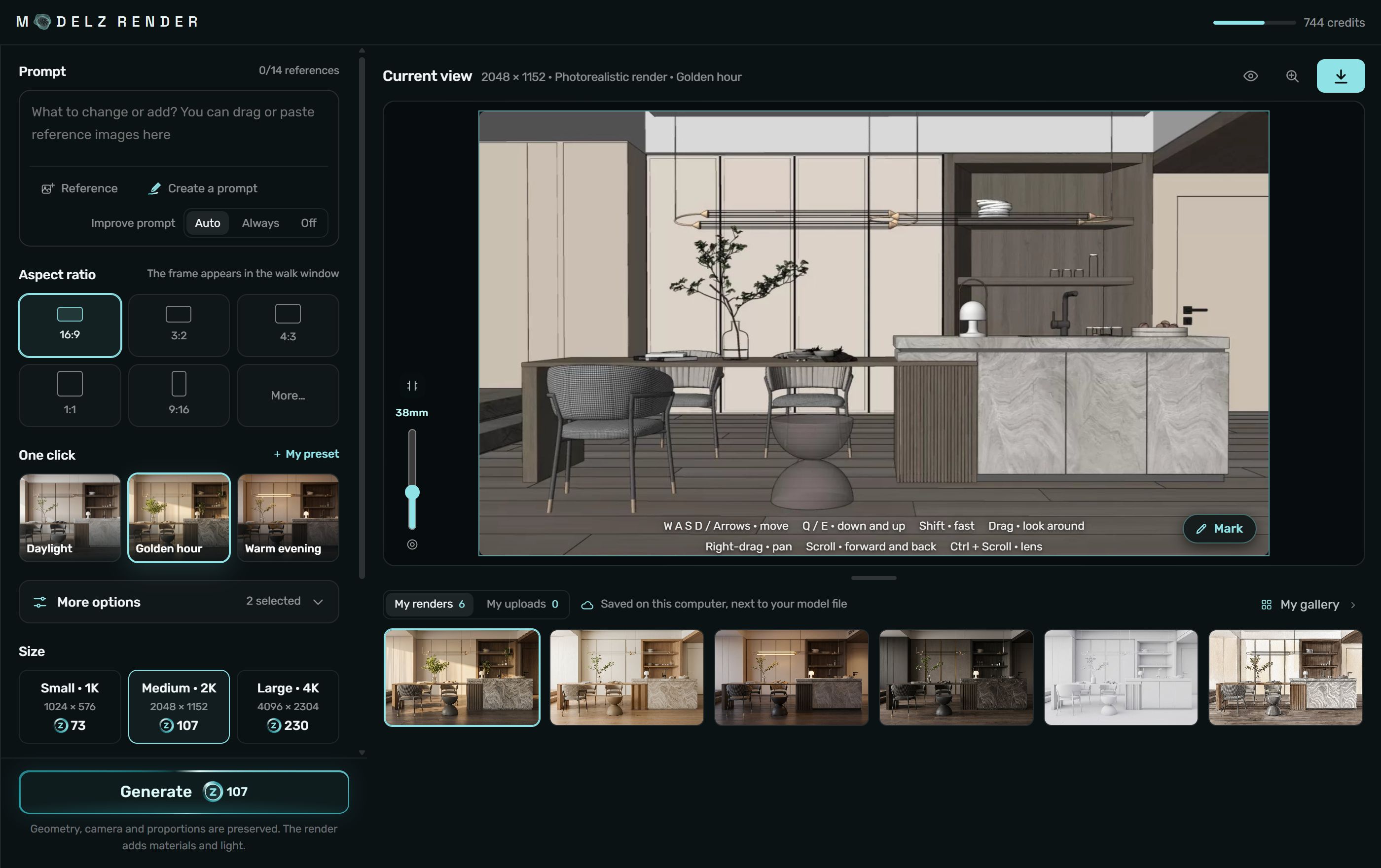
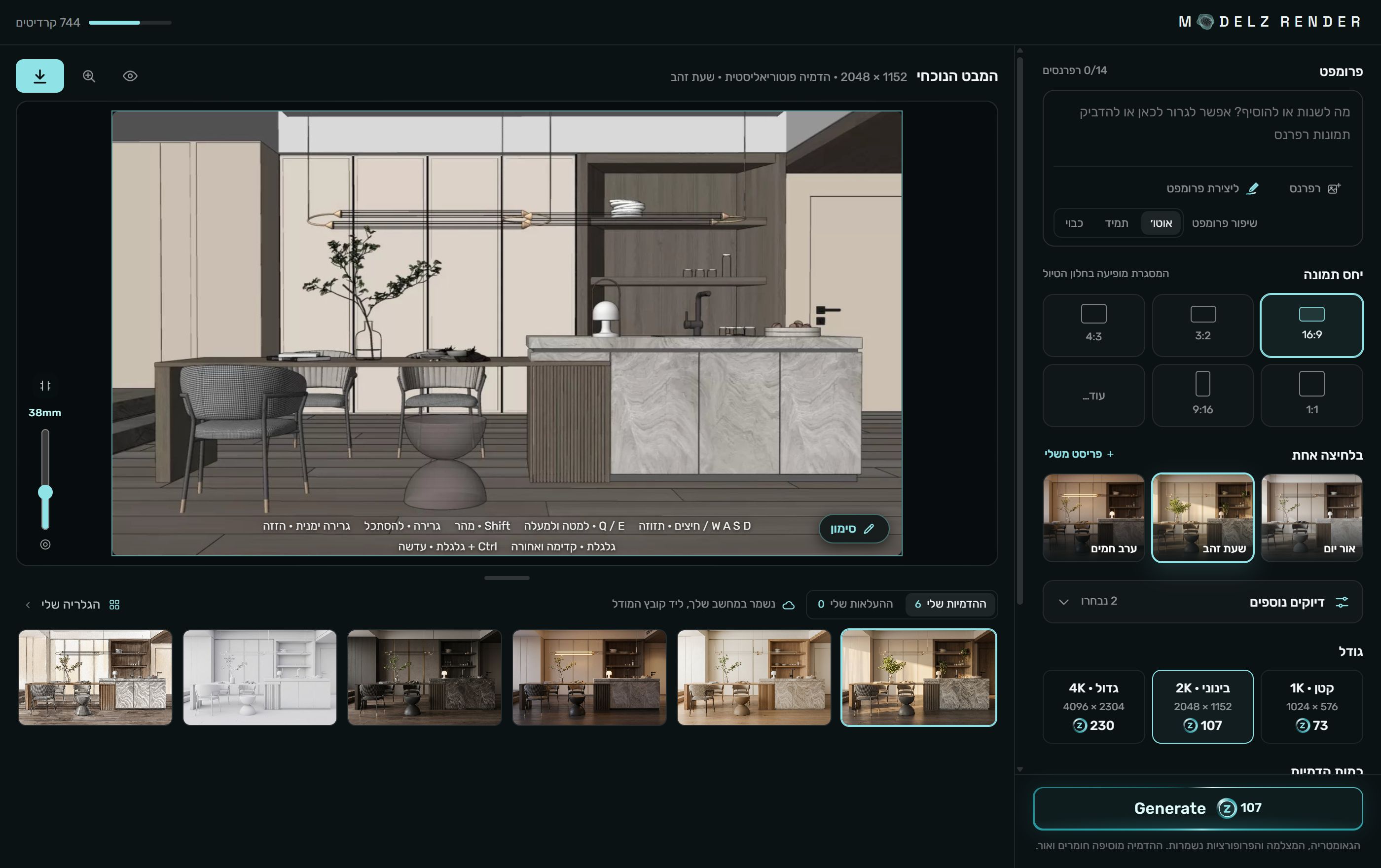
הקלטה של חלון RENDERZ ליד SketchUp, עם זמן המתנה מקוצר. אותה סצנה בשישה סגנונות, בתמונות שמתחת:A recording of the RENDERZ window next to SketchUp, with the wait shortened. The same scene in six styles, in the pictures below:כך נראה החלון של RENDERZ ליד SketchUp. אותה סצנה, ובכל תמונה נבחר סגנון אחר:This is the RENDERZ window next to SketchUp. The same scene, with a different style picked in each picture:
- מקורSource
- המבט הנוכחי, או מילים בלבדThe current view, or words alone
- סגנונותStyles
- שבעה מוכנים, או שלכםSeven ready ones, or your own
- גדליםSizes
- 1K · 2K · 4K
- עלותCost
- 73-230 קרדיטים להדמיהcredits per render
מה RENDERZ עושה. המבט שלכם, כהדמיה.What RENDERZ does. Your view, as a render.
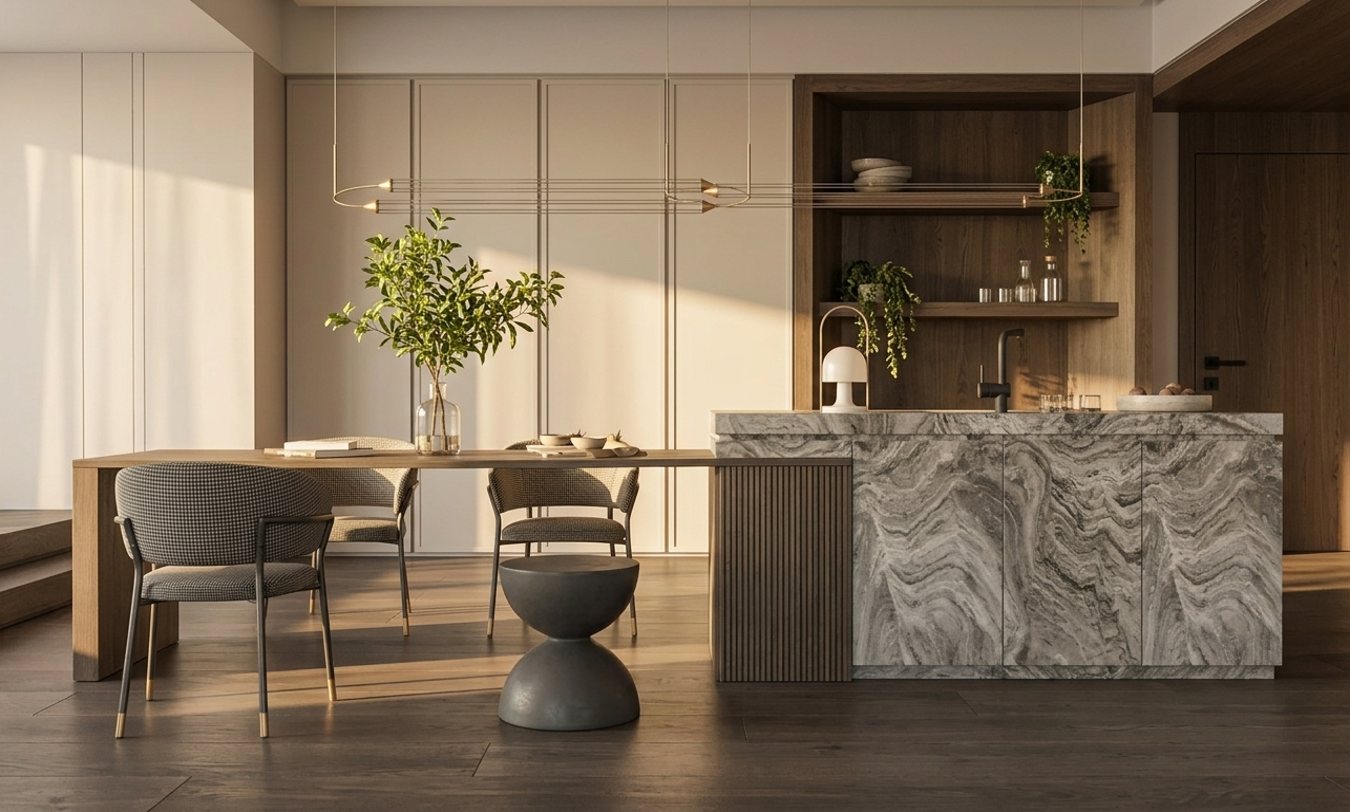
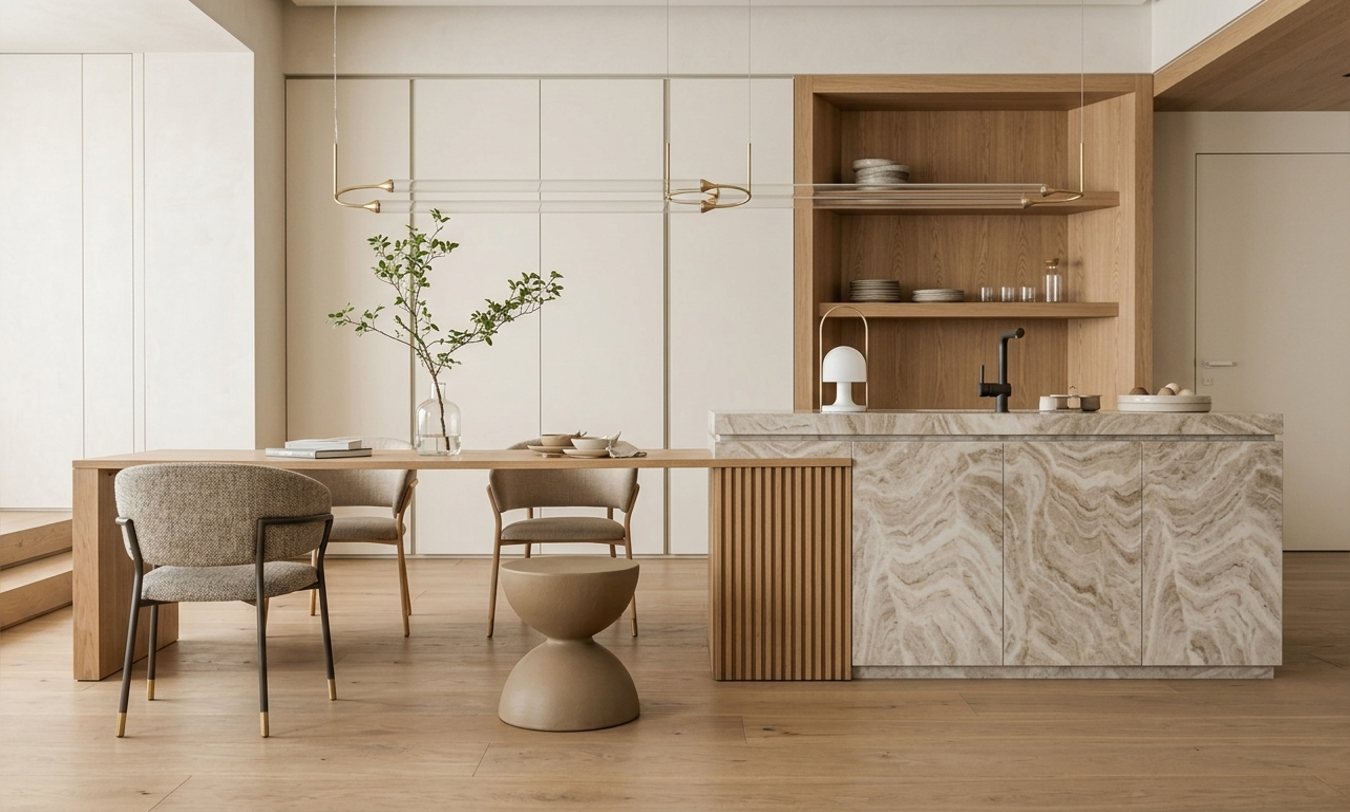
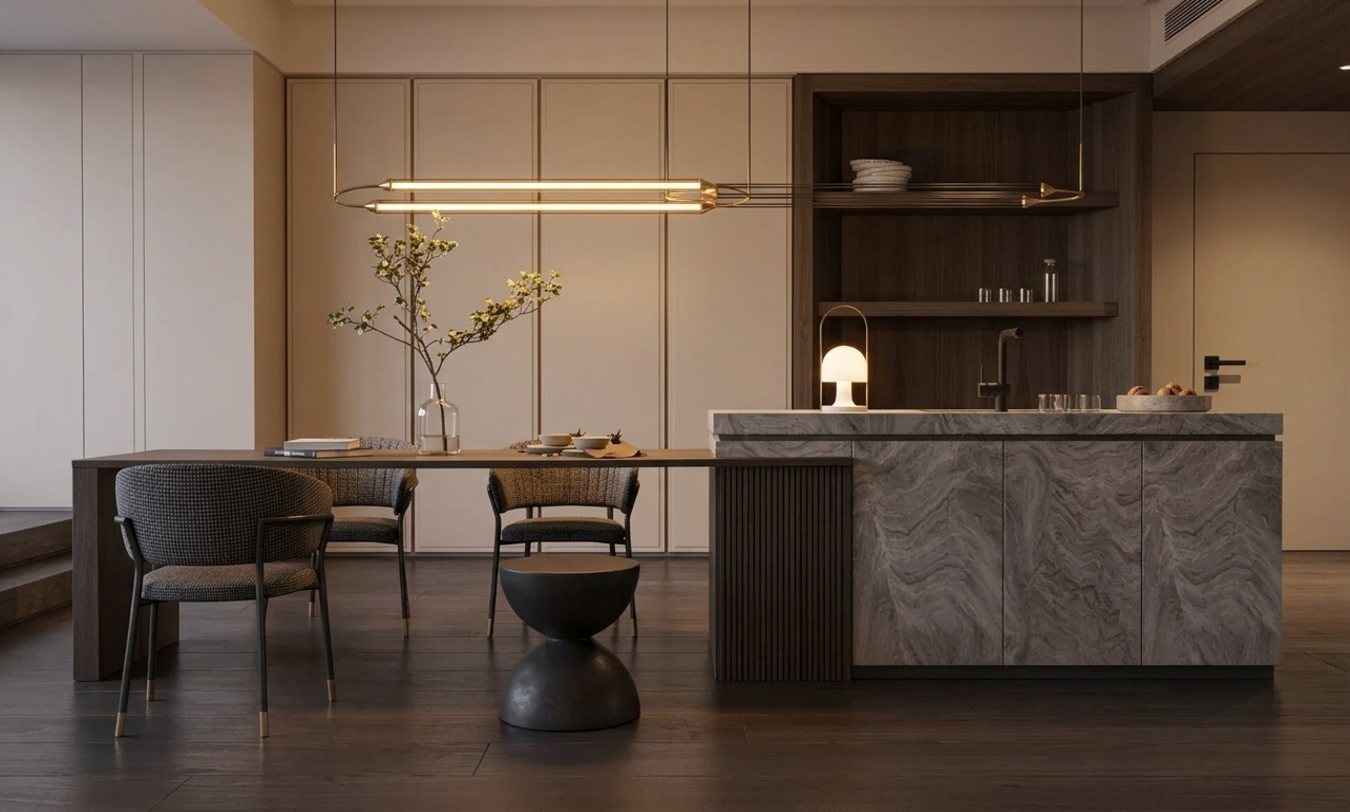
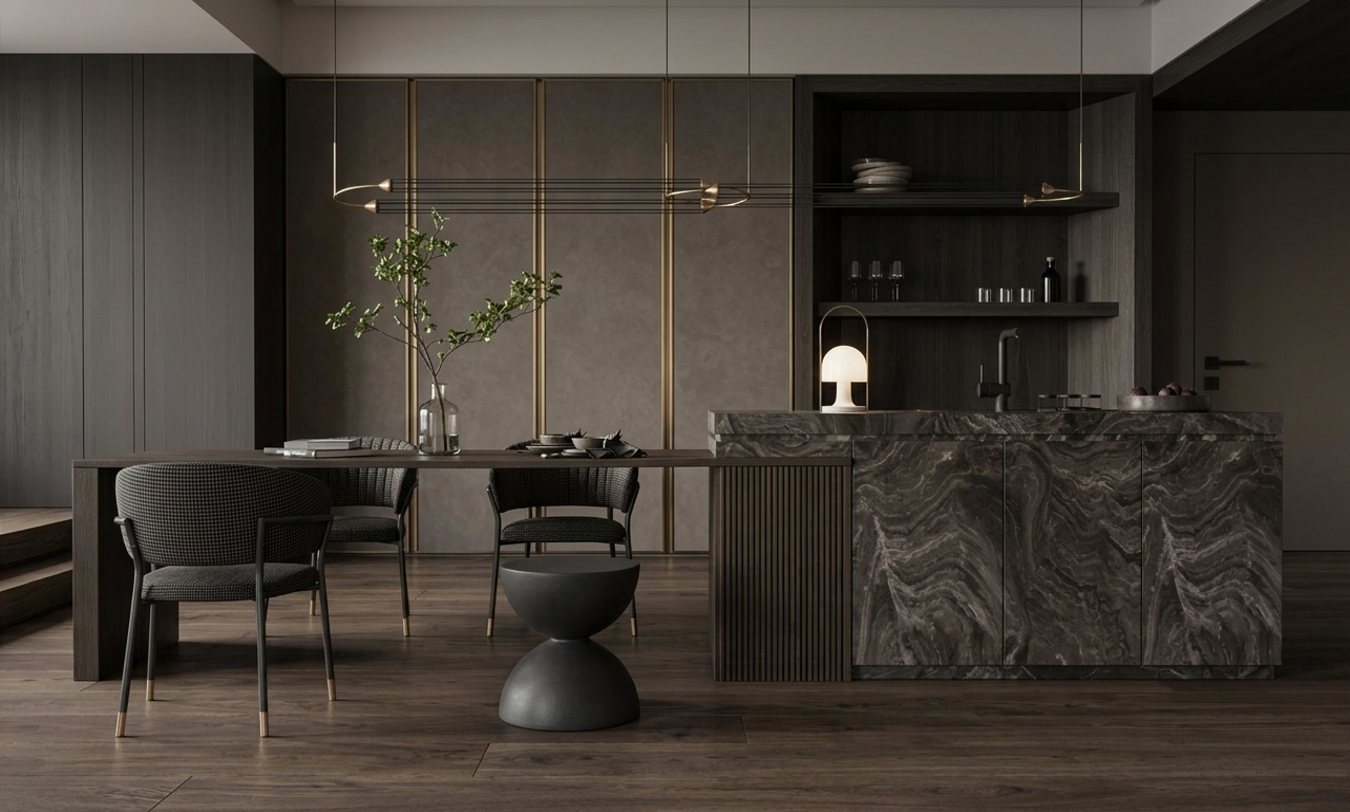
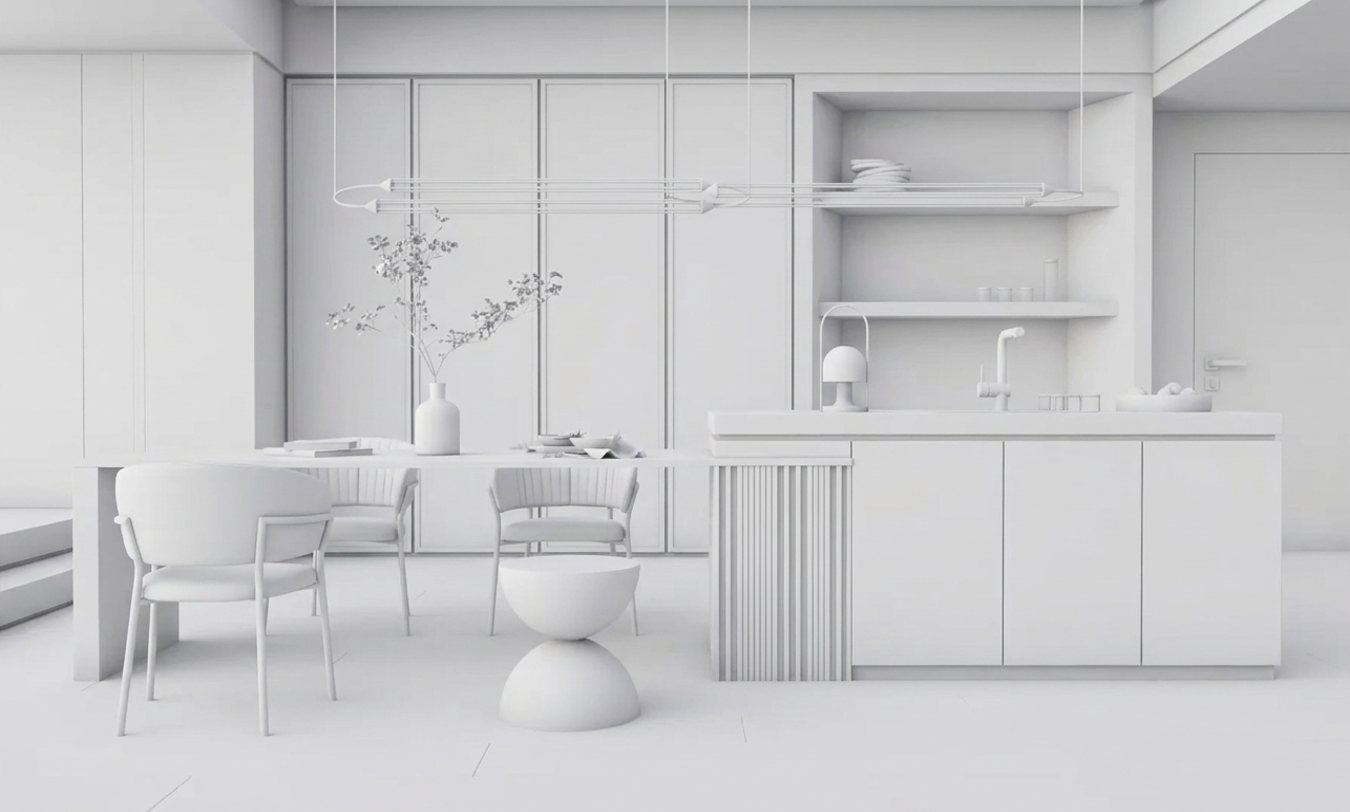
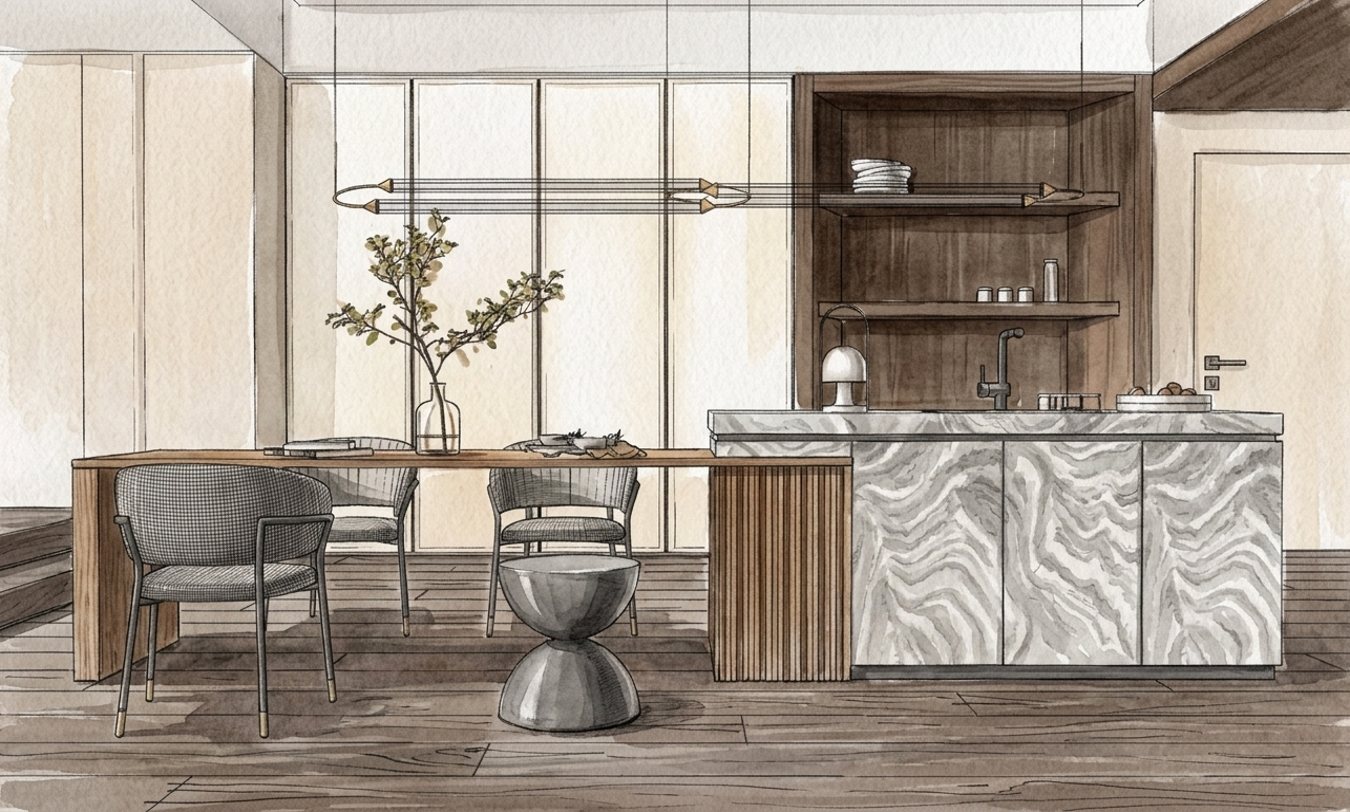
פריסטים מוכנים, וגם שלכםReady presets, and your own
תאורות ומראות מלאים בלחיצה אחת, על אותה סצנה בדיוק. בתוסף שומרים סגנון משלכם כפריסט, עם שם ודוגמה, והוא מצטרף לשורה.Lighting and full looks in one click, on exactly the same scene. In the plugin, save your own style as a preset, with a name and a sample, and it joins the row.
מהמבט שלכםFrom your view
מה שעל המסך הוא מה שמרונדר: אותה זווית, אותה קומפוזיציה.What is on screen is what gets rendered: same angle, same composition.
בשניותIn seconds
בלי להגדיר תאורה, חומרים או מנוע רינדור.No lighting, material or render engine setup.
במילים שלכםIn your own words
מתארים את האור, השעה והאווירה שאתם רוצים.Describe the light, the time of day and the mood you want.
לפי תמונת רפרנסFrom a reference image
מצרפים תמונה שהאווירה שלה מדברת אליכם.Attach an image whose mood you want.
1K, 2K או 4K1K, 2K or 4K
גודל קטן כדי לבחור כיוון, גדול לגרסה שמציגים ללקוח.A small size to choose a direction, a large one for the version you present.
אותה סצנה, כמה כיווניםOne scene, several directions
מרנדרים את אותו מבט בכמה סגנונות ומשווים ביניהם, בלי לגעת במודל.Render the same view in several styles and compare them, without touching the model.
תמונה או וידאוPhoto or video
עוברים לווידאו, ו־RENDERZ מכין סרטון של 3-30 שניות: מהתמונות שלכם, עם תנועות מצלמה ומעברים ביניהן, או ממילים בלבד. המחיר לפי שנייה, ומשלמים רק על סרטון שנמסר.Switch to Video, and RENDERZ makes a 3-30 second clip: from your pictures, with camera moves and transitions between them, or from words alone. It is priced per second, and you pay only for a delivered video.
מחירי הווידאוVideo prices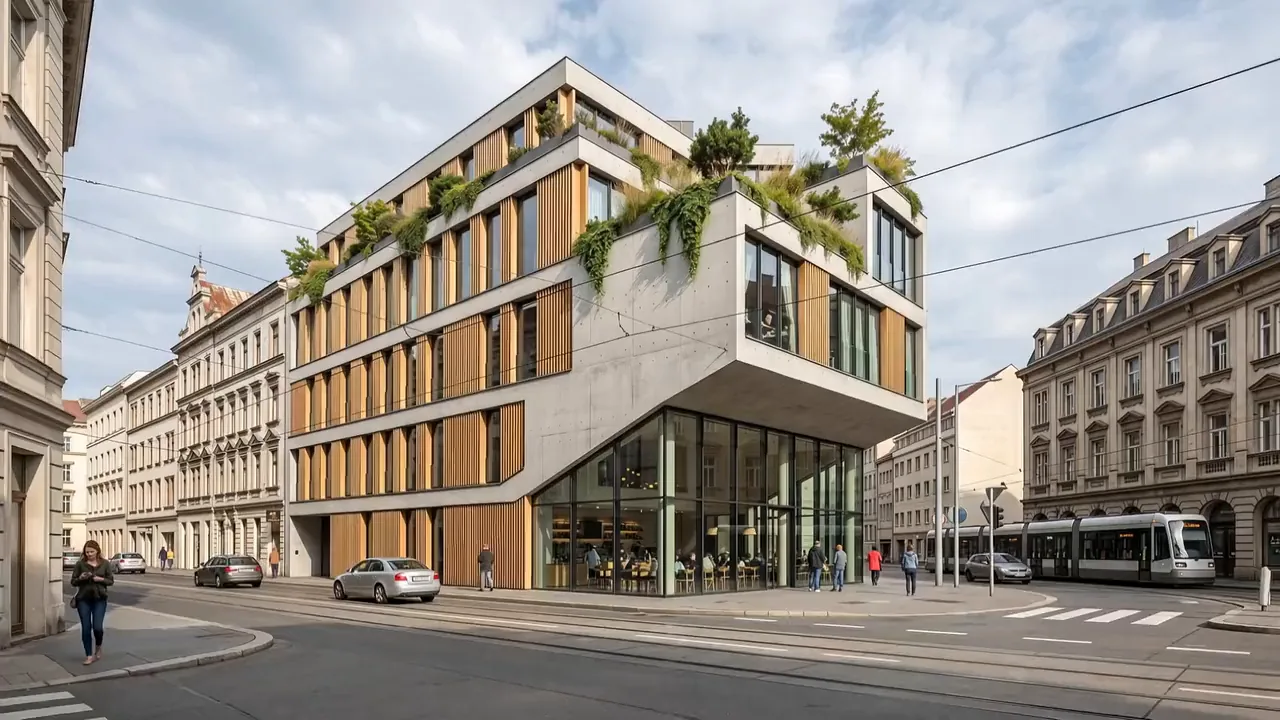
איך משתמשים. ארבעה שלבים.How to use it. Four steps.
מכוונים את המבטSet up the view
מזיזים את המצלמה במודל עד שהקומפוזיציה נכונה.Move the camera in the model until the composition is right.
פותחים את RENDERZOpen RENDERZ
מסרגל הכלים של Modelz, או ב־LABZ.From the Modelz toolbar, or in LABZ.
בוחרים סגנון וגודלPick a style and size
פריסט מוכן, מילים משלכם או תמונת רפרנס. המחיר מוצג לפני שמרנדרים.A ready preset, your own words or a reference image. The price shows before you render.
מקבלים הדמיהGet the render
תוך שניות. רוצים כיוון אחר? מרנדרים שוב באותו מבט.In seconds. Want another direction? Render the same view again.
איך מקבלים הדמיה טובה יותר. זה מתחיל במבט.Getting a better render. It starts with the view.
ההדמיה נשענת על מה שיש במודל ועל המבט שבחרתם.The render leans on what is in the model and the view you chose.
- המבט הוא הקומפוזיציהThe view is the composition
RENDERZ מרנדר את מה שעל המסך. תכוונו את הזווית ואת גובה העין לפני שמרנדרים.RENDERZ renders what is on screen. Set the angle and eye height before you render.
- מודל מלא, הדמיה עשירהA full model, a rich render
ריהוט וחומרים במודל נותנים להדמיה על מה להישען. אפשר להשלים אותם קודם ב־AGENTZ.Furniture and materials in the model give the render something to work with. Fill them in first with AGENTZ.
- בוחרים ב־1K, מציגים ב־4KChoose at 1K, present at 4K
כדי לבחור סגנון, הדמיה ב־1K מספיקה ועולה 73 קרדיטים. את הגרסה ללקוח מרנדרים ב־2K או ב־4K.To choose a style, a 1K render is enough at 73 credits. Render the client version at 2K or 4K.
- תיאור קצר ומדויקShort and precise
כשכותבים סגנון משלכם: אור, שעה, חומרים ואווירה. למשל
אור בוקר רך, עץ אלון, קירות טיח לבנים
.When you write your own style: light, time, materials and mood. For examplesoft morning light, oak, white plaster walls
.
מההדמיות ישר ללקוח. קישור אחד, כל הסגנונות.From your renders straight to your client. One link, every style.
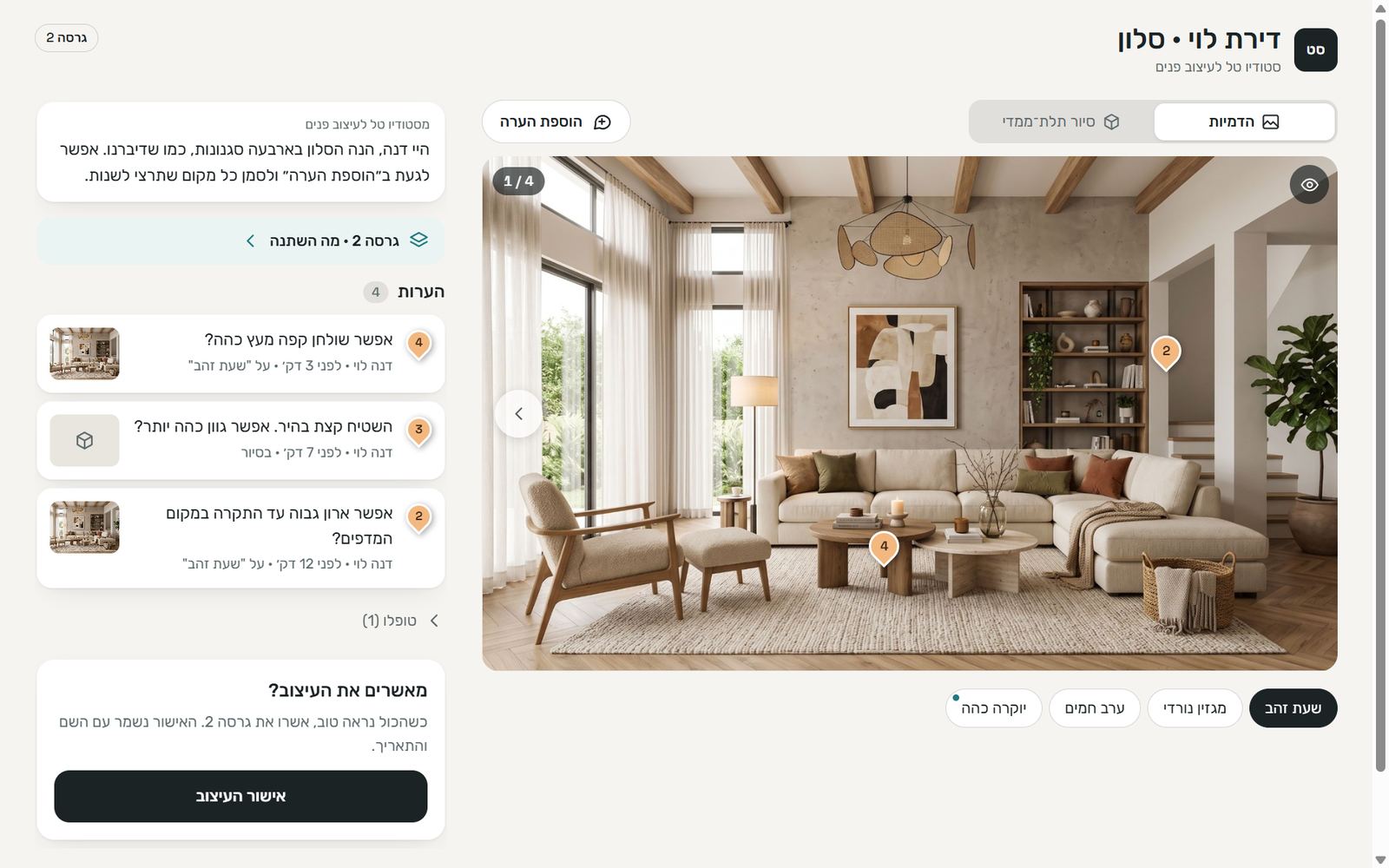
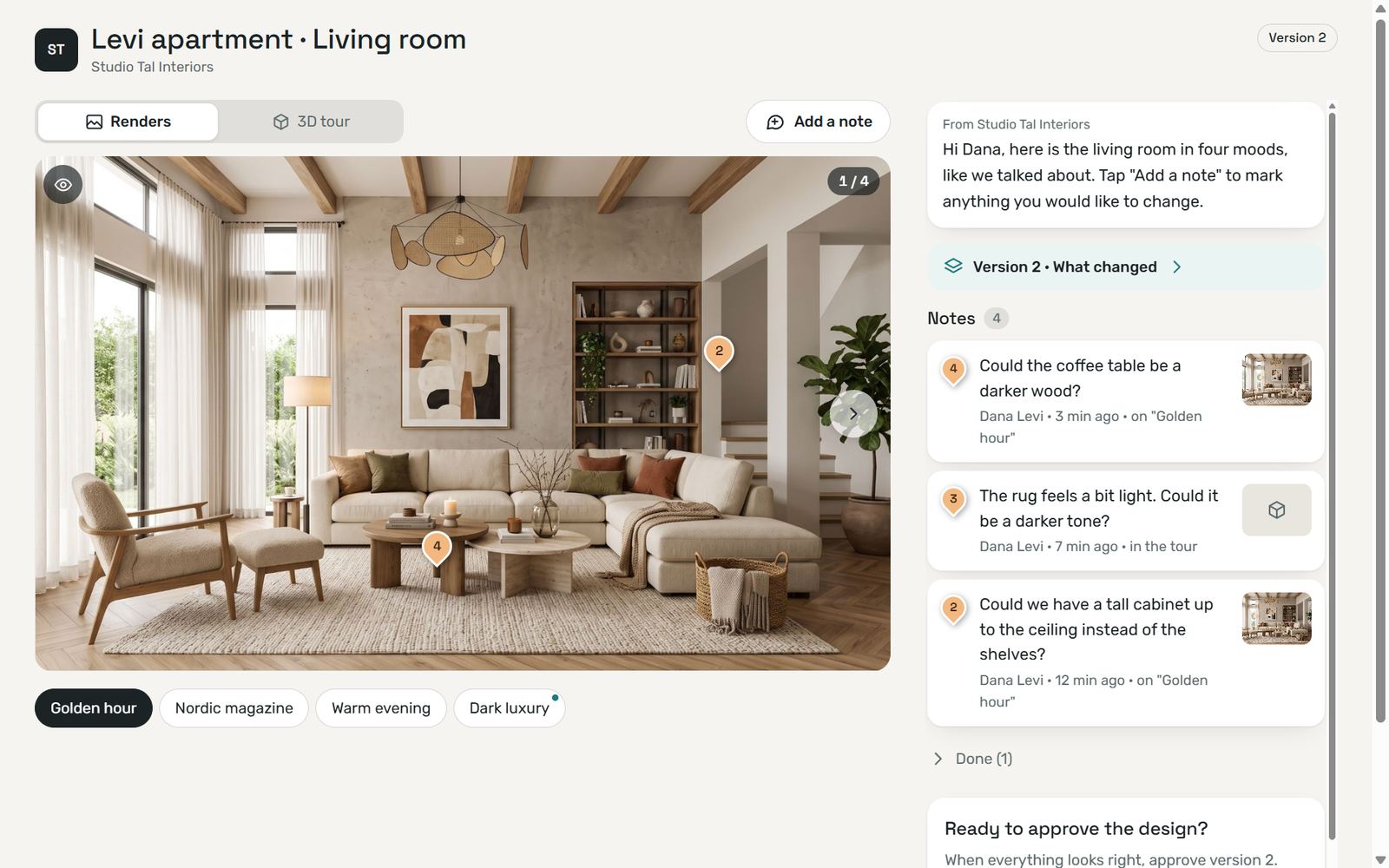
מרנדרים את אותו מבט בכמה סגנונות ושולחים אותם בחדר לקוח של TOURZ. הלקוח עובר בין הסגנונות בטלפון, נועץ סיכה על מה שרוצה לשנות, ומאשר.Render one view in a few styles and send them in a TOURZ client room. Your client flips through the styles on a phone, pins what they want changed, and approves.
- עד 12 הדמיות בחדר, מחלל אחד או מכמה. שם הסגנון הוא מה שהלקוח רואה על הכפתור, ואפשר לשנות אותו.Up to 12 renders in a room, from one space or several. The style name is what your client sees on the button, and you can rename it.
- בתוסף, RENDERZ שומר את זווית המצלמה עם כל הדמיה חדשה מהמבט, ו"הצג במודל" לוקח אתכם מהסיכה שהלקוח נעץ על ההדמיה לאותו מקום במודל.In the plugin, RENDERZ saves the camera with every new render of the view, so "Show in model" takes you from a pin your client puts on a render to that spot in your model.
- לא משלמים על ההדמיות שוב: הן שולמו כשנוצרו, והחדר עצמו ב־0 קרדיטים בכל מסלול.You do not pay for the renders again: they were paid for when they were made, and the room itself costs 0 credits with any plan.

כמה זה עולה. מחיר קבוע לפי גודל.What it costs. A fixed price by size.
אותו מחיר בכל סגנון, והוא מוצג לפני שמרנדרים.The same in every style, and it shows before you render.
צפייה במחיריםSee pricing| גודלSize | קרדיטים להדמיהCredits per render |
|---|---|
| 1K | 73 |
| 2K | 107 |
| 4K | 230 |
- בחודש: כ־240 הדמיות ב־2K במסלול Weekend, כ־510 במסלול Part-time, כ־840 במסלול Full-time, וכ־1,300 במסלול Studio.Per month: Weekend covers about 240 renders at 2K, Part-time about 510, Full-time about 840, Studio about 1,300.
- וידאו לפי שנייה: 190 קרדיטים בטיוטה, 320 ב־720p ו־480 ב־1080p. משלמים רק על סרטון שנמסר.Video is priced per second: 190 credits in Draft, 320 at 720p and 480 at 1080p. You pay only for a delivered video.
- הקרדיטים החינמיים כבר מספיקים להדמיות: 2,000 בהרשמה, ועוד 1,000 עם התוסף.The free credits already cover renders: 2,000 when you sign up, and 1,000 more with the plugin.
ממשיכים מכאן. אותו פרויקט, הכלי הבא.Where to go next. Same project, next tool.
 TOURZ
 AGENTZ
 MODELZ
ההדמיות הראשונות עלינו.Your first renders are on us.
2,000 קרדיטים בהרשמה ועוד 1,000 עם התוסף, מספיק לכ־28 הדמיות ב־2K.2,000 credits when you sign up and 1,000 more with the plugin, enough for about 28 renders at 2K.