 SHEETZ
שרטוטים בקנה מידה. ישר מהמודל.Drawings to scale. Straight from the model.
בוחרים קומה, קו חתך או קיר, ו־SHEETZ משרטט אותם מהמודל: קירות, פתחים, ריהוט, מידות ומפלסים. מסדרים את השרטוטים על גיליון עם החותמת שלכם, ומייצאים PDF, DXF או SVG.Pick a floor, a section line or a wall, and SHEETZ draws it from your 3D model: walls, openings, furniture, dimensions and levels. Lay the drawings on a sheet with your title block and export PDF, DXF or SVG.
- מקורFrom
- המודל שלכם, ב־LABZ או ב־SketchUpYour 3D model, in LABZ or SketchUp
- שרטוטיםDrawings
- תוכניות, חתכים, חזיתות ופריסות קירPlans, sections, elevations and wall elevations
- קבציםFiles
- PDF · DXF · SVG
- עלותCost
- 0 לשרטוט, 73-230 קרדיטים לתמונת AI0 for a drawing, 73-230 credits for an AI picture
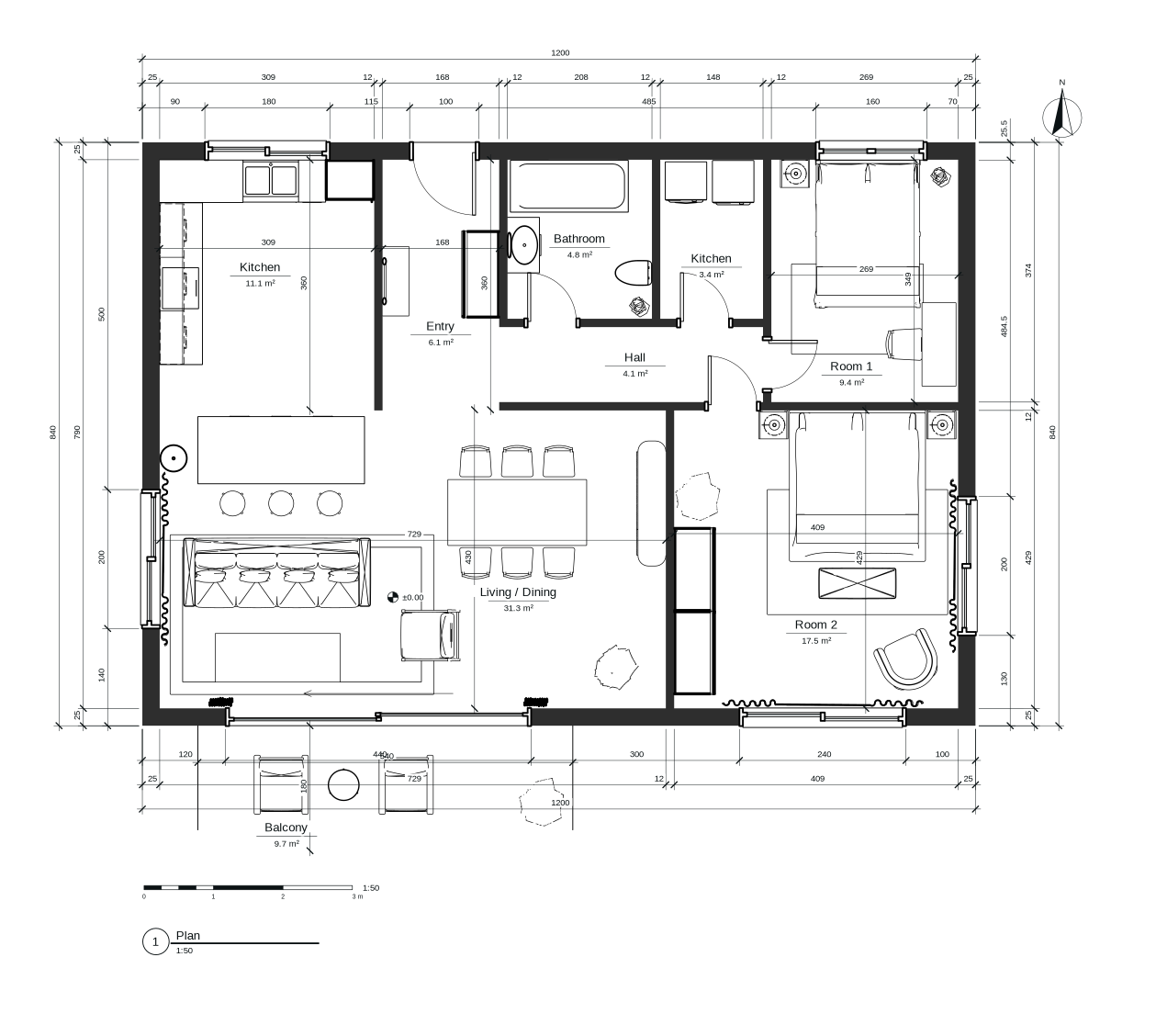
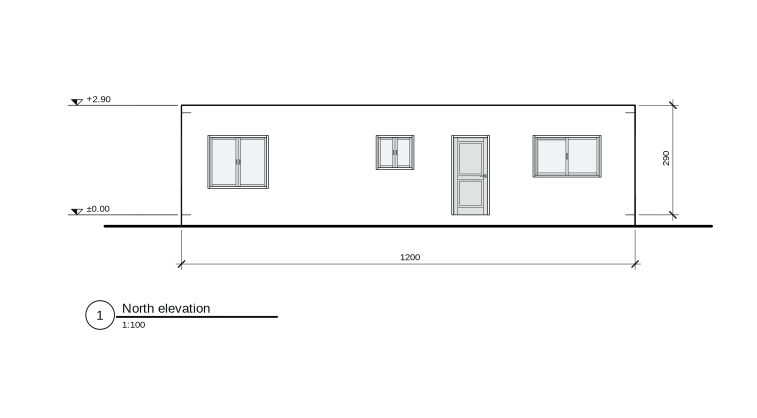
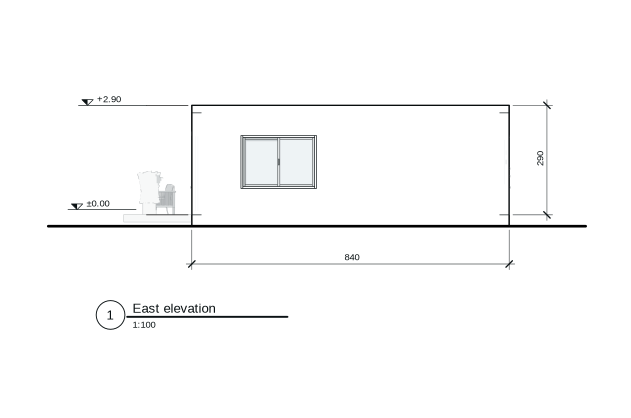
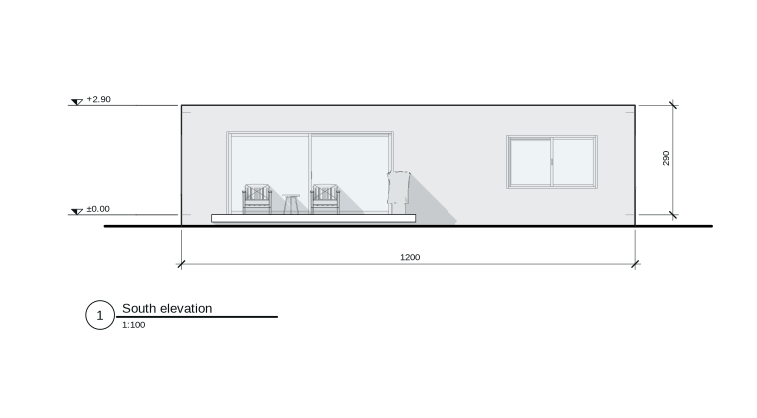
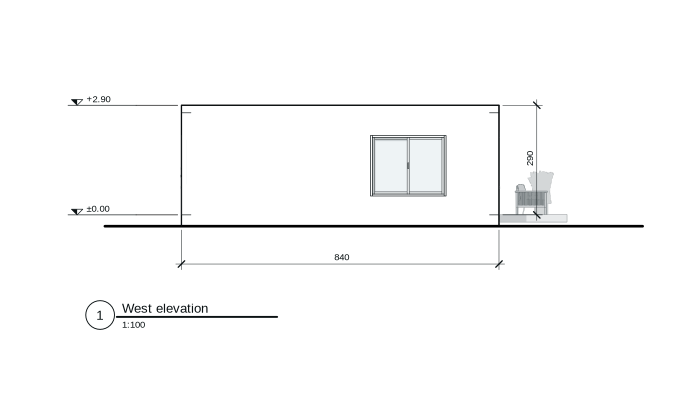
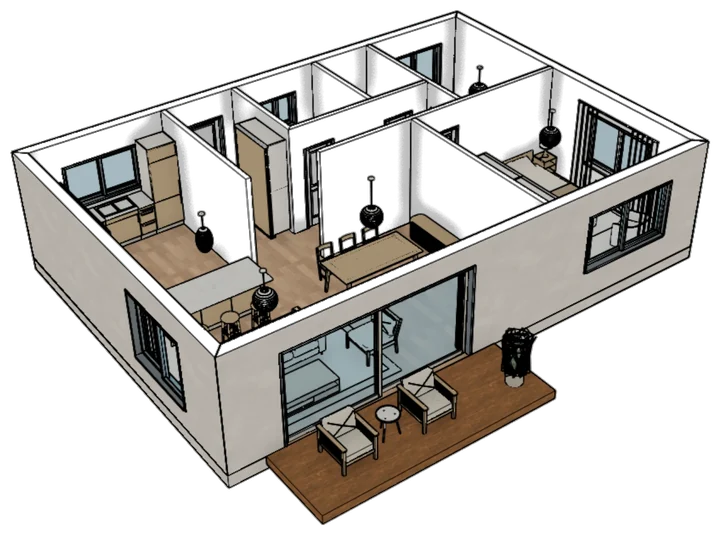
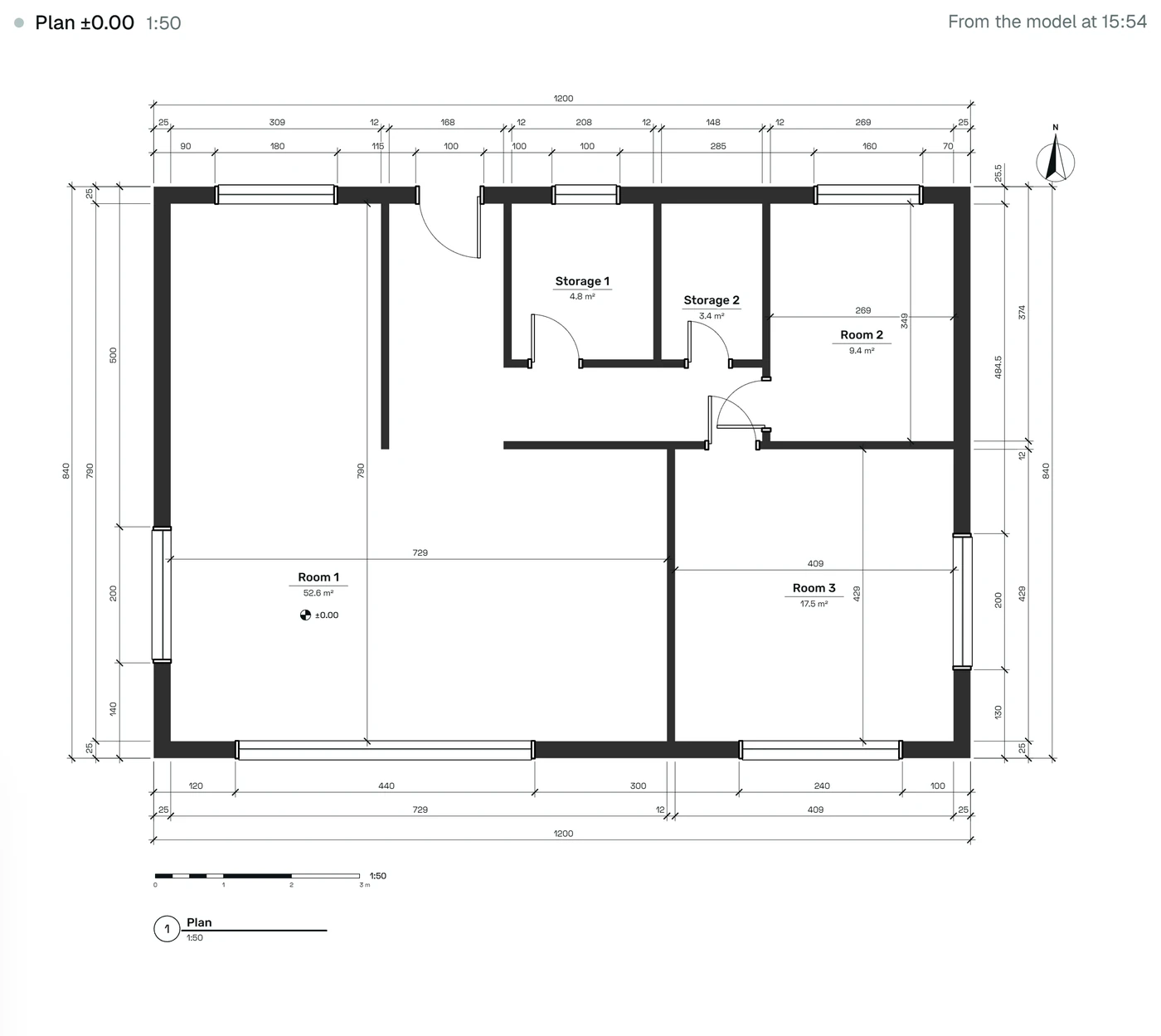
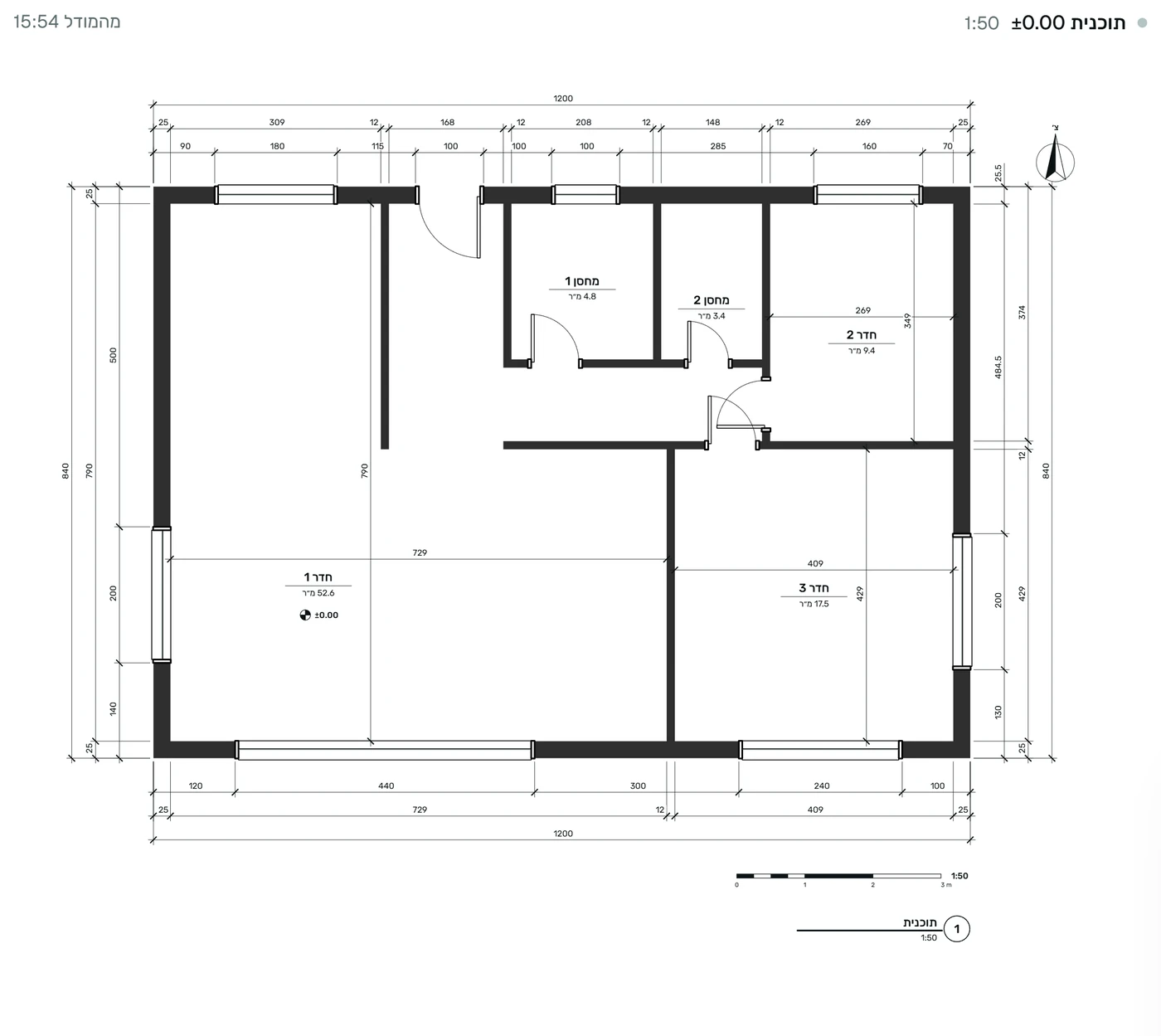
דירת הדוגמה שלנו, כמו ש־SHEETZ משרטט אותה. חמשת השרטוטים הם קובצי SVG ש־SHEETZ ייצא מהמודל שלה.Our sample apartment, as SHEETZ draws it. The five drawings are SVG files that SHEETZ exported from its model.
מה SHEETZ עושה. מודל אחד, כל השרטוטים.What SHEETZ does. One model, every drawing.
כל השרטוטים מאותו מודל, בקנה מידה, על לוח אחד. משם לגיליון, ומהגיליון לקובץ.Every drawing from the same model, to scale, on one board. From there to a sheet, and from the sheet to a file.
כל השרטוטים ממודל אחדEvery drawing from one model
תוכנית לכל קומה, חתך לאורך קו שאתם משרטטים, חזיתות הבניין והקירות של חדר.A plan of each floor, a section along a line you draw, the building's elevations and the walls of a room.
מידות, מפלסים ושמות חדריםDimensions, levels and room names
שרשראות מידות, סימוני מפלס, שם ושטח לכל חדר, חץ צפון וקנה מידה גרפי, כבר על השרטוט.Dimension chains, level marks, each room's name and area, a north arrow and a scale bar, already on the drawing.
גיליונות עם החותמת שלכםSheets with your title block
גיליון מ־A4 ועד A0, לאורך או לרוחב. מגדירים פעם אחת חותמת עם הלוגו ופרטי המשרד, וכל גיליון חדש מקבל אותה.A sheet from A4 to A0, portrait or landscape. Set your title block once, with your logo and office details, and every new sheet gets it.
היחידות שלכםYour units
השרטוטים ביחידות של המודל, או ביחידות שבוחרים: מ״מ, ס״מ, מטר, רגל ואינץ׳ או אינץ׳. החלפה מעדכנת את כל הכרטיסים יחד, כולל קנה המידה.Drawings follow the model's units, or the ones you pick: mm, cm, m, feet and inches, or inches. A change updates every card at once, scales included.
PDF, DXF ו־SVGPDF, DXF and SVG
גיליון יוצא כעמוד PDF בגודל הדף שלו, או כ־DXF שנפתח ב־AutoCAD. שרטוט בודד יוצא כ־DXF או כ־SVG.A sheet goes out as a PDF page at its paper size, or as a DXF that opens in AutoCAD. A single drawing goes out as DXF or SVG.
מבקשים במיליםAsk in words
כותבים בשורה ״חתך דרך המטבח״, בעברית או באנגלית, והשרטוט יוצא. אפשר גם לבקש שינוי בכרטיס, למשל מידות פנימיות.Write “section through the kitchen” in the Ask line, in English or Hebrew, and the drawing comes out. Or ask a card for a change, like inside dimensions.
משלימים על הלוחFinish it on the board
מוסיפים מידות, טקסט וסמלים כמו אנשים ועצים, ישר על השרטוט.Add dimensions, text and symbols such as people and trees, right on the drawing.
ב־LABZ וב־SketchUpIn LABZ and in SketchUp
אותו לוח בשתי הדרכים: ב־LABZ במתג מודל | SHEETZ שבראש החלון, וב־SketchUp באייקון של SHEETZ בסרגל הכלים של Modelz.The same board both ways: in LABZ from the Model | SHEETZ switch at the top, and in SketchUp from the SHEETZ icon in the Modelz toolbar.
שרטוט אמיתי. לא תמונה של שרטוט.A real drawing. Not a picture of one.
כל כרטיס הוא קווים מהמודל. מגדילים והוא נשאר חד, מייצאים והוא נפתח כקווים בתוכנת ה־CAD שלכם.Every card is lines from the model. Zoom in and it stays sharp; export it and it opens as lines in your CAD software.
- מה שבמודל, במקום שלוEverything in the model, in its placeקירות חתוכים במילוי מלא, דלתות עם כיוון הפתיחה, חלונות וריהוט.Cut walls in solid fill, doors with their swing, windows and furniture.
- עם קנה מידה ושעהWith its scale and timeכל כרטיס מראה את קנה המידה שלו ומתי נלקח מהמודל.Each card shows its scale and when it was taken from the model.
- שכבות ב־DXFLayers in the DXFכל סוג קו בשכבה משלו. שרטוט בודד יוצא ביחידות של הלוח.Each kind of line on its own layer. A single drawing comes out in the board's units.
איך משתמשים. ארבעה שלבים.How to use it. Four steps.
פותחים את SHEETZOpen SHEETZ
ב־LABZ במתג מודל | SHEETZ. ב־SketchUp באייקון של SHEETZ, האחרון בסרגל הכלים של Modelz.In LABZ, the Model | SHEETZ switch. In SketchUp, the SHEETZ icon, last in the Modelz toolbar.
בוחרים מה לשרטטPick what to draw
בחלון המודל: קומה, קו חתך, הקירות של חדר או החזיתות. לוחצים ״הוצא ללוח״, או כותבים את הבקשה בשורה.In the model window: a floor, a section line, a room's walls or the elevations. Press Add to board, or write it in the Ask line.
מסדרים גיליוןLay out a sheet
גוררים כרטיסים לגיליון, בוחרים גודל דף וממלאים את החותמת.Drag cards onto a sheet, pick the paper size and fill in the title block.
מייצאיםExport
PDF להדפסה ולשליחה, DXF להמשך עבודה ב־CAD, ו־SVG לשרטוט בודד.PDF to print and send, DXF to keep working in CAD, SVG for a single drawing.
תמונת הצגה. מאותו שרטוט.A presentation picture. From the same drawing.
כשהשרטוט צריך למכור רעיון, SHEETZ הופך כרטיס לתמונה עם AI. המידות והכיתובים שלכם נשארים מעליה כקווים, והמחיר מוצג לפני שהיא נוצרת.When a drawing has to sell the idea, SHEETZ turns a card into a picture with AI. Your dimensions and labels stay on top as lines, and the price shows before it runs.
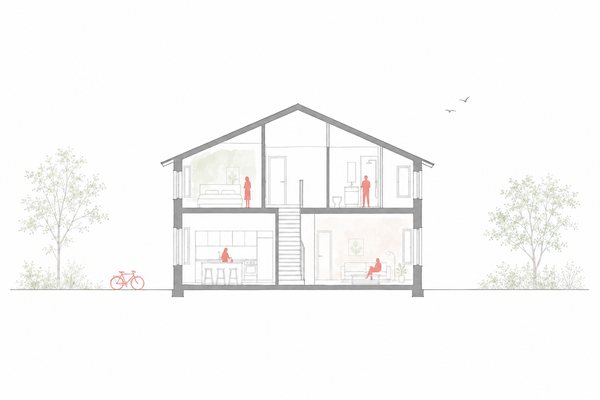
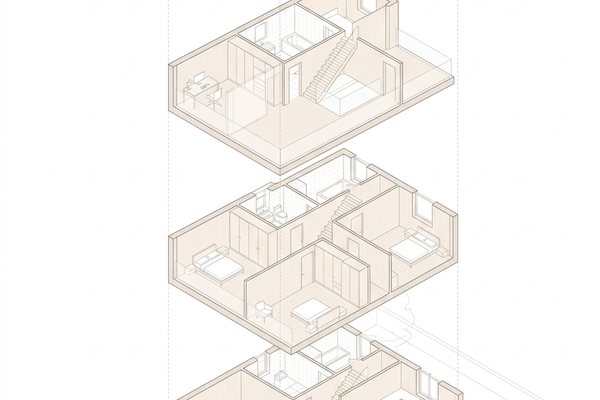
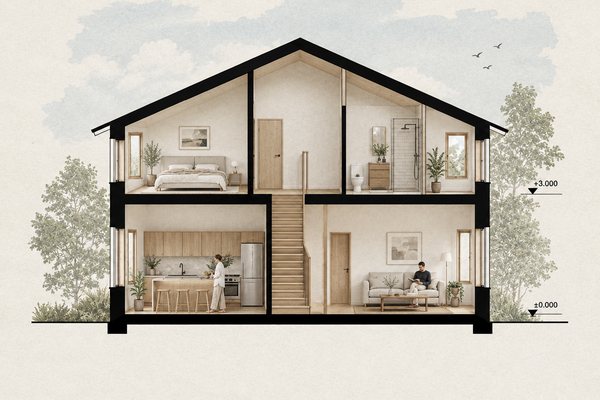
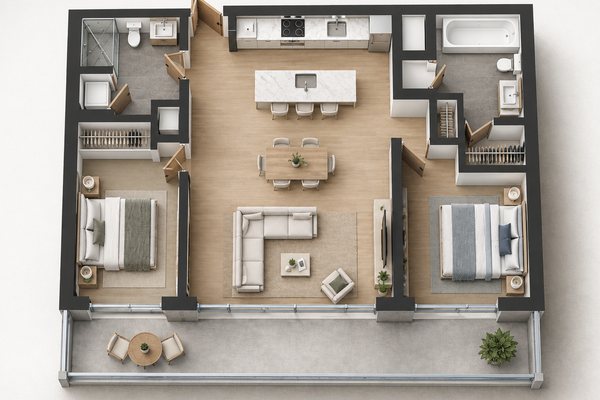
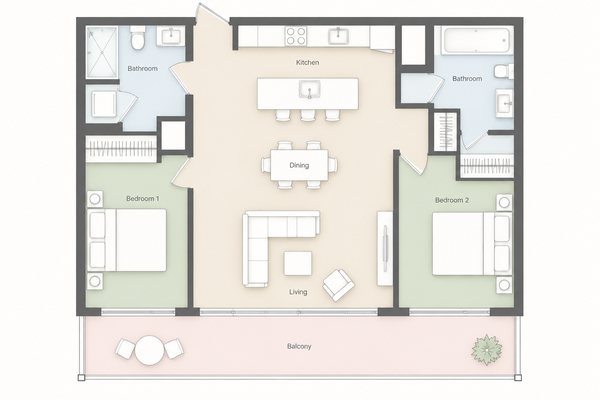
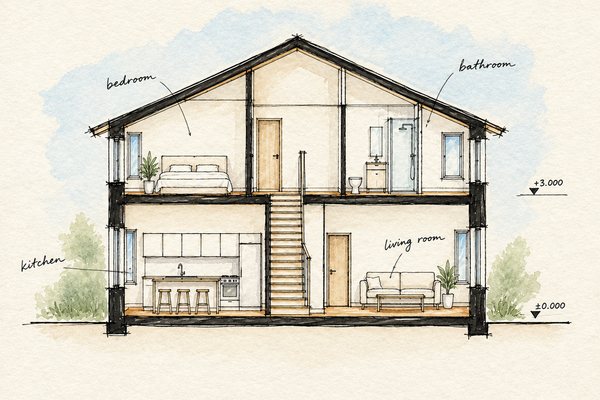
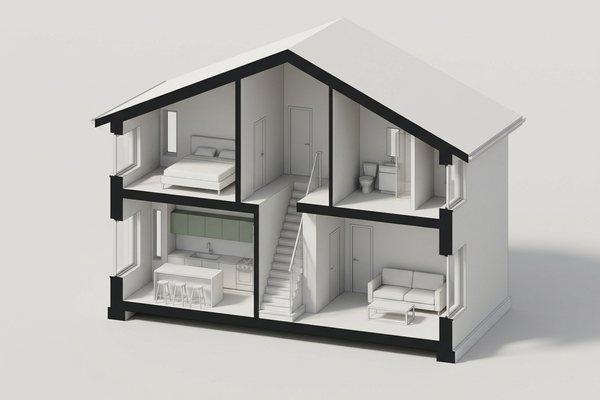
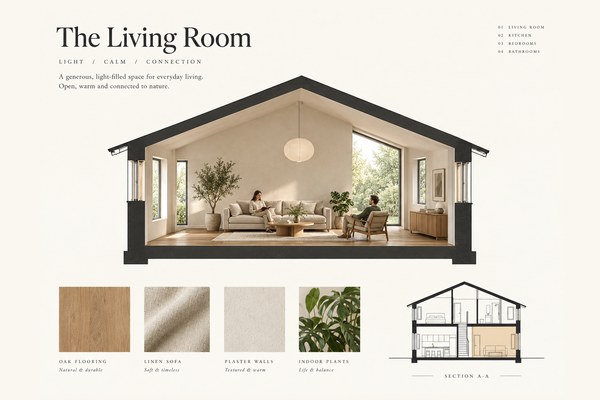
שמונת המראים, בשמות שלהם ב־SHEETZ. כל מראה עובד על תוכנית, חתך או חזית.The eight looks, by their names in SHEETZ. Each look works on a plan, a section or an elevation.
במילים שלכםIn your own words
במקום מראה מוכן, מתארים בשורה את המראה שרוצים לכרטיס.Instead of a ready look, describe the one you want for the card in the Ask line.
מסמנים ומשניםMark it, change it
מסמנים עד שלושה אזורים על תמונה, עם הערה לכל אחד. SHEETZ משנה את האזורים האלה ושומר את שאר התמונה.Mark up to three areas on a picture, with a note for each. SHEETZ changes those areas and keeps the rest of the picture.
גרסאות וגדליםVersions and sizes
עד 4 גרסאות לכל תמונה. תמונה ממילים בלבד, בלי כרטיס, מגיעה גם ב־1K, 2K או 4K.Up to 4 versions of any picture. A picture from words alone, with no card, also comes in 1K, 2K or 4K.
נשמרת ב־FOLDERZKept in FOLDERZ
כל תמונה ש־SHEETZ יוצר נשמרת גם ב־FOLDERZ, עם שאר הקבצים של הפרויקט.Every picture SHEETZ makes is also kept in FOLDERZ, with the project's other files.

כמה זה עולה. רק תמונות ה־AI.What it costs. Only the AI pictures.
שרטוטים, גיליונות וייצוא לא צורכים קרדיטים. לתמונת AI יש מחיר קבוע, והוא מוצג לפני כל אחת.Drawings, sheets and exports use no credits. An AI picture has a fixed price, and it shows before each one.
צפייה במחיריםSee pricing| מהWhat | קרדיטיםCredits |
|---|---|
| שרטוט מהמודל, גיליון או ייצואA drawing from the model, a sheet or an export | 0 |
| מראה על כרטיס: אחד מהשמונה, או במילים שלכםA look on a card: one of the eight, or in your words | 107 |
| שינוי בתמונה כזו, בסימון או במיליםA change to that picture, marked or in words | 107 |
| תמונה ממילים בלבד, או שינוי בהA picture from words alone, or a change to one | 731K1072K2304K |
- בחודש: כ־240 תמונות של 107 קרדיטים במסלול Weekend, כ־510 במסלול Part-time, כ־840 במסלול Full-time, וכ־1,300 במסלול Studio.Per month: Weekend covers about 240 pictures at 107 credits, Part-time about 510, Full-time about 840, Studio about 1,300.
- גרסאות נוצרות אחת אחרי השנייה, וכל אחת מחויבת רק כשהיא נוצרת.Versions are made one after another, and each is charged only when it is made.
- תמונה שסוטה מהשרטוט נוצרת מחדש על חשבוננו, ותמונה שלא הגיעה לא מחויבת.A picture that drifts from your drawing is made again at our cost, and a picture that never arrives is not charged.
ממשיכים מכאן. אותו פרויקט, הכלי הבא.Where to go next. Same project, next tool.
 MODELZ
 RENDERZ
 TOURZ
השרטוטים כבר נמצאים במודל שלכם.The drawings are already in your model.
פותחים את SHEETZ ב־LABZ או בתוסף, ומוציאים מהמודל את התוכנית הראשונה.Open SHEETZ in LABZ or in the plugin, and take the first plan out of the model.